Journal of the Whills - Discussion

#fan-edits #star wars: episode ix: the rise of skywalker #star wars: episode vii: the force awakens #star wars: episode viii: the last jedi
#1
Star Wars: Journal of the Whills

Star Wars: Journal of the Whills

by WhillsConsortium
Witness the transformation of the contested sequel trilogy into a stunning homage to the Skywalker Saga. A new generation re-examines the legacy of Darth Vader and weighs the future of the emerging New Republic, while an ancient evil slowly wakes from the shadows... This reimagining of the sequel trilogy is a completely original story using false subtitles over Japanese audio, with the aim of weaving together the entire Skywalker Saga while respecting the vision of George Lucas, restoring elements of the original sequel trilogy outlines and providing answers to all loose ends from the prequels.


Discussion for this fanedit.
#2
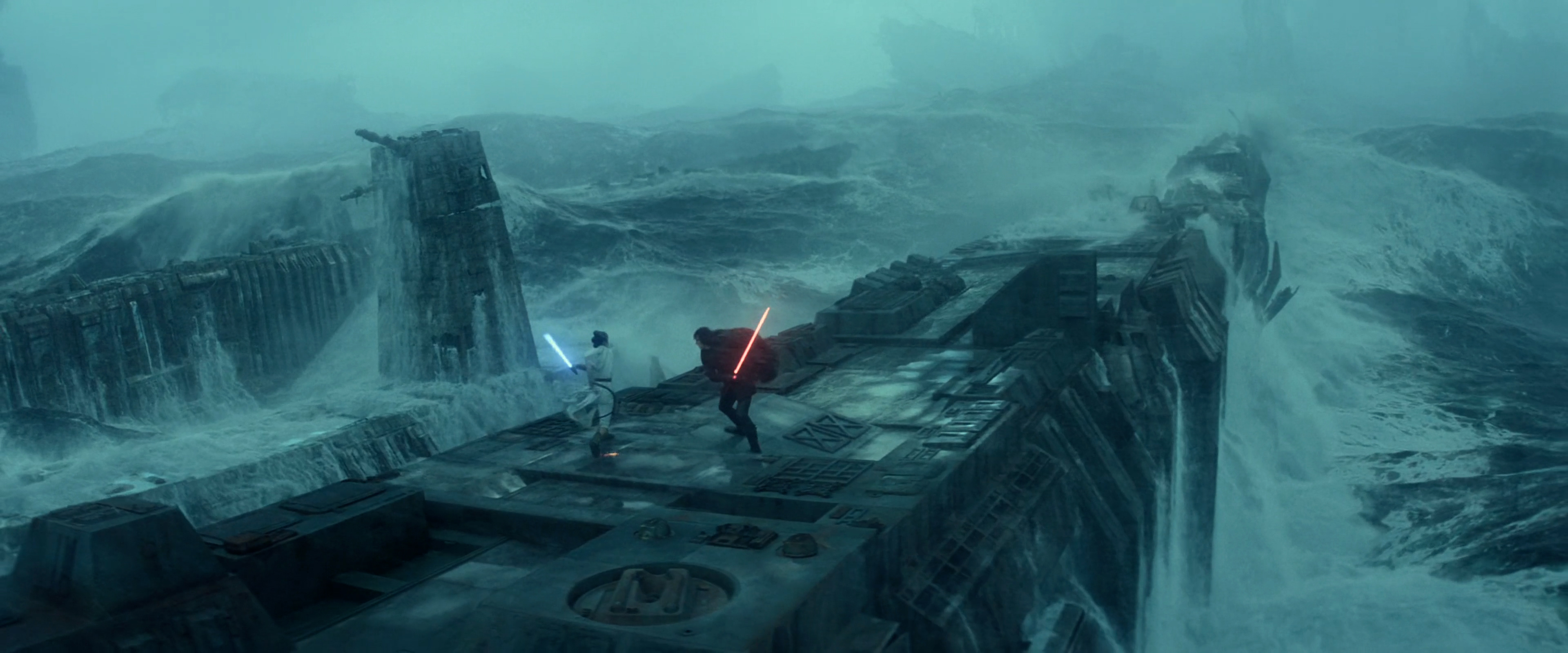
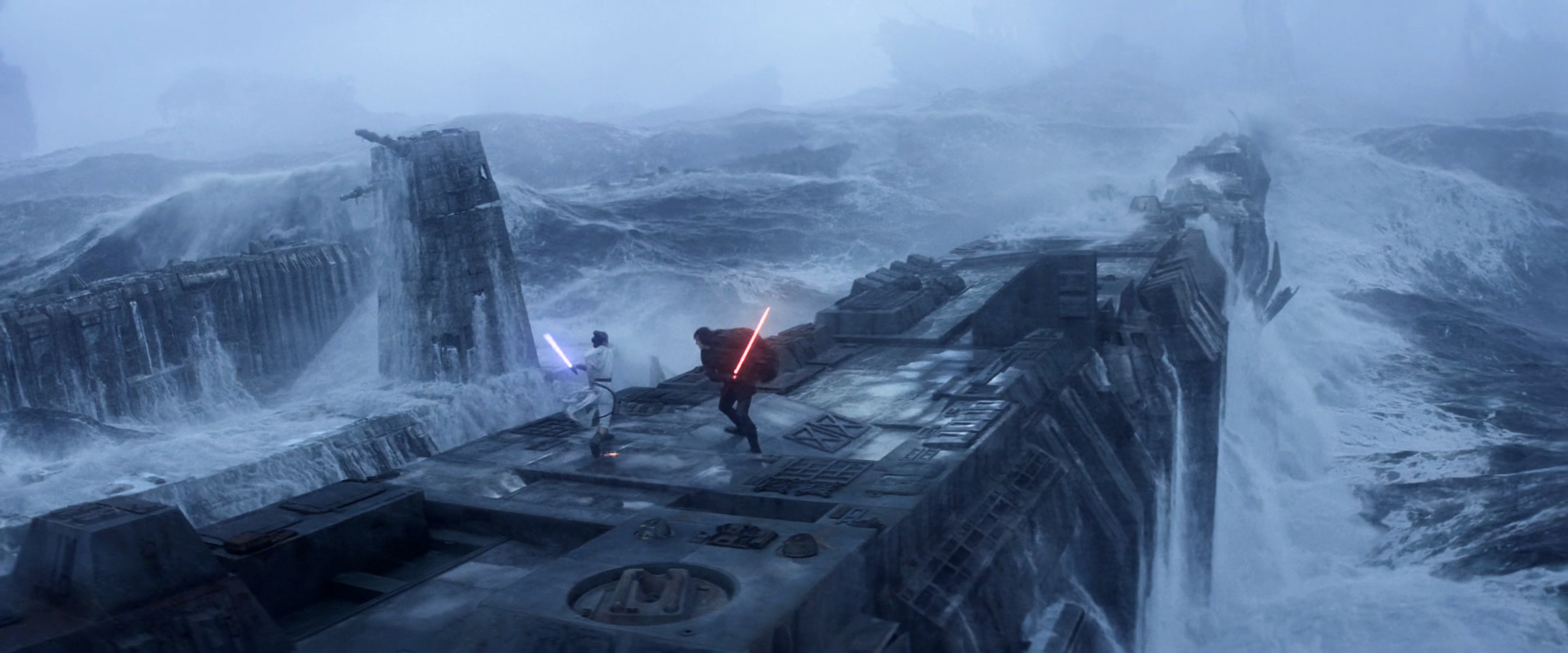
Working on the Death Star lightsaber battle now... This is what I got so far.

User image
User image
#3
It's a really good balance!
#4
Thank you! Someone told me it looks a bit too "bleak", so maybe I'm re-adding some blues since I de-saturated the blues.

I think there's something to it because it looks better when I remove the de-saturation.

User image
User image

Maybe it's a little oversaturated now, but overall I think it looks decent.

User image
User image
#5
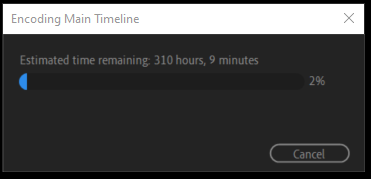
So... I started on the export.

But...
User image

It is going to take 12 days! Yeah, I am not going to do that. It is like this because it is a software export. Hardware exports tend to crash[/dash]a lot. All my previous exports were software exports, but never have they been twelve days.

So I have been attempting to solve the crash problem. First I tried reducing the load by pre-exporting the After Effects sequences instead of relying on Dynamic Link. But then I found out that prolonged NESTED SEQUENCES cause the hardware export to crash. So now I must un-nest all my nested sequences. Very tedious indeed.

Additionally, this has caused me to research video editors. Apparently, Premiere Pro is the most flexible, but as a result prone to problems. Avid Media Composer is the most reliable, but very tedious to work with. Da Vinci Resolve is somewhere in the middle. Indeed, I might switch to Resolve if I ever edit any videos again after this. I like the work-flow in Premiere, the timeline is snappy, but the problems are numerous and the color grading is inefficient.

While working on these very time-consuming issues, I keep finding minute improvements I can make to the edit itself. I have improved the dialogue, the soundtrack, but most of all the color grading is something that can endlessly be improved. As such I have resolved to only eliminate the most problematic instances of said color grading. The main problem is that some parts look too purple, but in a manner that is very difficult to eliminate. Because of the persistent purplenesses I have applied adjustment layers throughout the entire edit, but I had gone way too far in doing so, dulling the colors, and still purple sequences remained. More recently, I have been dialing back the effects of the adjustment layers, but it is truly a terrible process that drains me of life. Hence once again: Da Vinci Resolve. No More "Lumetri Color"!

Last edited: 6 days ago
#6
I'm sorry to hear of these woes. it sounds like a real headache.
I don't know if it's the same as resolve, but I think those adjustment layers may be the culprit of your long render time. I know that as you add complexity to each frame in resolve it just makes things spiral. I find it's better to keep an edit as flat as possible.
#7
Thank you for your sympathy.
I think you're right. Ah well, hopefully I'll be able to do a hardware export soon! And it'll be done in a day, maybe two.
Last edited: 6 days ago
#8
Update. I finally managed a complete hardware export. I managed this by pre-rendering all After Effects sequences, un-nesting nearly all sequences, and updating to Premiere Pro 2025. I can now do the full 4K export in about 5 hours, which is of course an incredible improvement over 300+ hours.

Switching to hardware export does introduce problems, however. Many of the transitions between slowed down shots have become glitched and some of the effects render in a different manner.

More interestingly, perhaps, I also found out that hardware export utilizes a simplified codec. Software encoders use more sophisticated analysis, allowing for better processing of details. Hardware encoders tend to be more aggressive with de-noising and smoothing to hit their speed targets. In professional production software exports are always used.

Nevertheless, I think the export looks good. For all the doubts I've had, I am actually quite satisfied with my color regrade. I watched through the edit yesterday for quality control. I have to fix 35 glitches or so. I am also considering cutting out two scenes in act 1 that don't particularly add much, and perhaps just make the edit confusing and slow the pacing.

It is going to take a while to make these final adjustments, but the end is in sight. It is a big relief that at least the export itself will be swift. Once it is finished I will also have to put together some sort of a trailer before I can release it, but I don't expect that to take too long. Furthermore, since I pre-rendered most of my special effects now, I intend to make them publicly available for others to use in their edits.
Last edited: 23 hours ago
#9
oh is this rendering with the GPU? I wish I had cottoned on to that sooner because I knew about the issues with gpu encoding. my apologies for not paying attention, I could have saved you some trouble.

well done for getting there anyhow! it's been rather a large headache for you hasn't it.
#10
Yes! It is indeed about rendering with the GPU, which I think I'll do from now on, just simply because of how much faster it is. Do you usually export with the CPU?

Thank you! It really has been SUCH a large headache! But it had to be done.
#11
WhillsConsortium wrote:
Yes! It is indeed about rendering with the GPU, which I think I'll do from now on, just simply because of how much faster it is. Do you usually export with the CPU? Thank you! It really has been SUCH ...


I would never export with gpu, due to the errors it produces. Cpu rendering is required for visual quality and clarity. I understand why you ask this though, the render time you were given was insane.
I presume your cpu is not terrible though, so that's down to, either Premier has issues, or it was to do with the layering of effects, etc.  I did one send my render time sky high, that was when I tried to add film grain to a film that didn't need it.